

OpenAI adds Codex to ChatGPT mobile app in preview
Thu, 14th May 2026 (Yesterday)
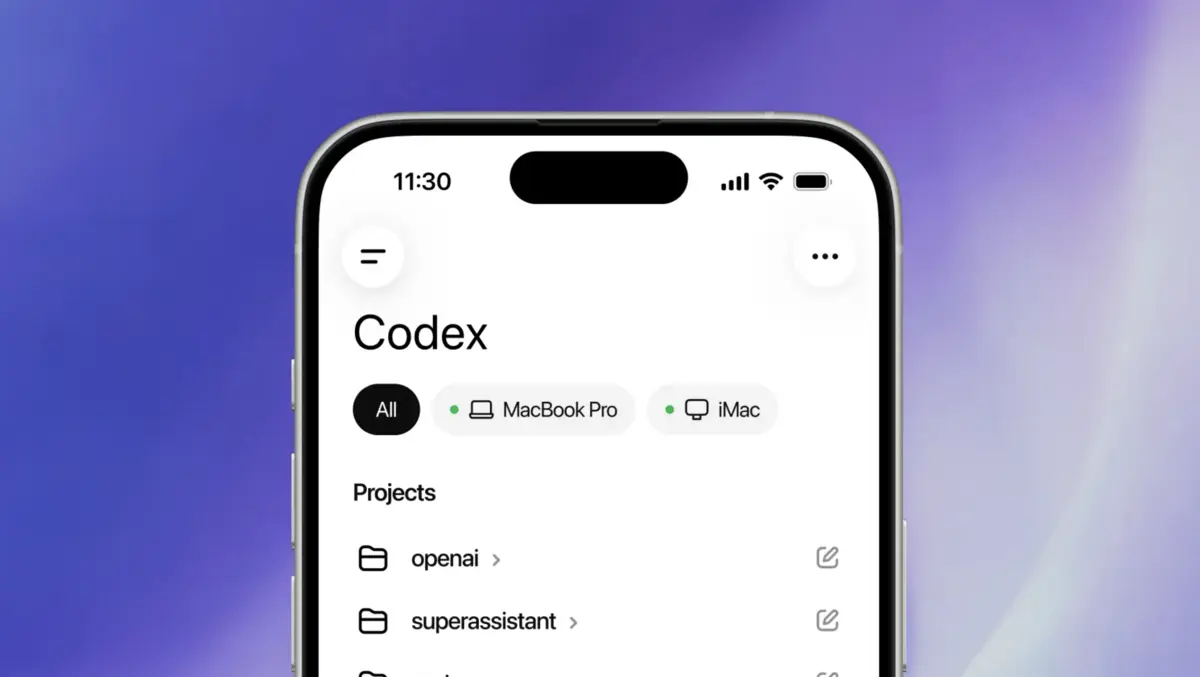
OpenAI has added Codex to the ChatGPT mobile app in preview on iOS and Android across all plans in supported regions.
The addition brings the coding agent to phones, letting users monitor and direct work running on laptops, remote machines and managed development environments. The mobile app shows the live state of connected machines, including active threads, approvals and project context.
More than 4 million people now use Codex each week, according to OpenAI. As coding agents take on longer tasks, users increasingly need to step in at small but important moments, such as answering questions, reviewing outputs or approving the next step.
From the mobile app, users can review outputs, approve commands, switch models and start new work. Files, credentials, permissions and local setup remain on the machine where Codex is running, while updates are sent to the phone in real time.
Those updates can include screenshots, terminal output, code diffs, test results and approval requests. The system relies on a secure relay layer that keeps trusted machines reachable across devices without exposing them directly to the public internet.
Mobile workflow
The launch reflects a broader shift in how AI coding tools are used. Rather than handling only short prompts at a desk, they are increasingly being asked to manage longer-running jobs that unfold over hours and require periodic human judgement.
OpenAI gave several examples of mobile use. A developer might start investigating a bug from a phone while away from their desk, let Codex inspect files and run tests in the development environment, then approve further steps remotely if the agent needs permission to continue.
In another scenario, Codex could reach a decision point during a lengthy refactor and ask the user to choose between two approaches. The mobile app is designed to let that decision happen without delaying the job until the user returns to a computer.
OpenAI also described using the app to prepare for customer support discussions by asking Codex to pull together updates from messages, documents and browser-based tools into a briefing. Users can also start new threads from a phone when an idea arises away from their desk.
Remote access
Alongside the mobile rollout, Remote SSH is now generally available. It allows Codex to connect directly to managed remote environments used by development teams, including systems with approved dependencies, credentials, security policies and compute resources.
According to OpenAI, the desktop app can detect hosts from a user's SSH configuration and create projects and run threads inside remote machines in the same way as on a local device. Once connected, those environments can be reached from authorised ChatGPT devices through the same relay infrastructure.
The setup is aimed at teams that already build software inside centrally managed environments rather than on individual laptops. It also means users can begin work on a desktop machine and continue supervising execution from a phone while the task remains active elsewhere.
Team controls
OpenAI is also introducing management and automation features for business customers. Programmatic access tokens can now be issued from ChatGPT workspace settings for uses such as continuous integration pipelines, release workflows and internal automation.
Hooks are now generally available as well. They can be used to scan prompts for secrets, run validators, log conversations, create memories or tailor Codex behaviour to specific repositories and directories.
OpenAI also now supports HIPAA-compliant use of Codex in local environments for eligible ChatGPT Enterprise workspaces. That covers use in the command line interface, integrated development environment and app, and is aimed at healthcare organisations handling patient care and operational workflows.
Availability varies by product tier. Remote SSH and Hooks are available on all plans, while programmatic access tokens are limited to Enterprise and Business plans. HIPAA-compliant use is restricted to eligible Enterprise workspaces when Codex is used in local environments, and support for connecting phones to the Codex app on Windows has not yet been released.
The mobile preview is available on iOS and Android for users on Free, Go and paid plans in supported regions.